If you’ve seen the latest news about artificial intelligence (AI) you may have seen some truly jaw-dropping advancements in the areas of image generation, including the worrying development of “deep fakes” where an AI can make anyone appear to say or do anything on video.
You may have also read headlines like, “art is dead” and “AI replacing artists.” These I take with a big pinch of salt. Far from replacing artists, AI can be a power tool for those artists willing to include AI in their workflow. The result by all appearances is art that is leaping ahead in giant strides. It only requires artists to take that first step.
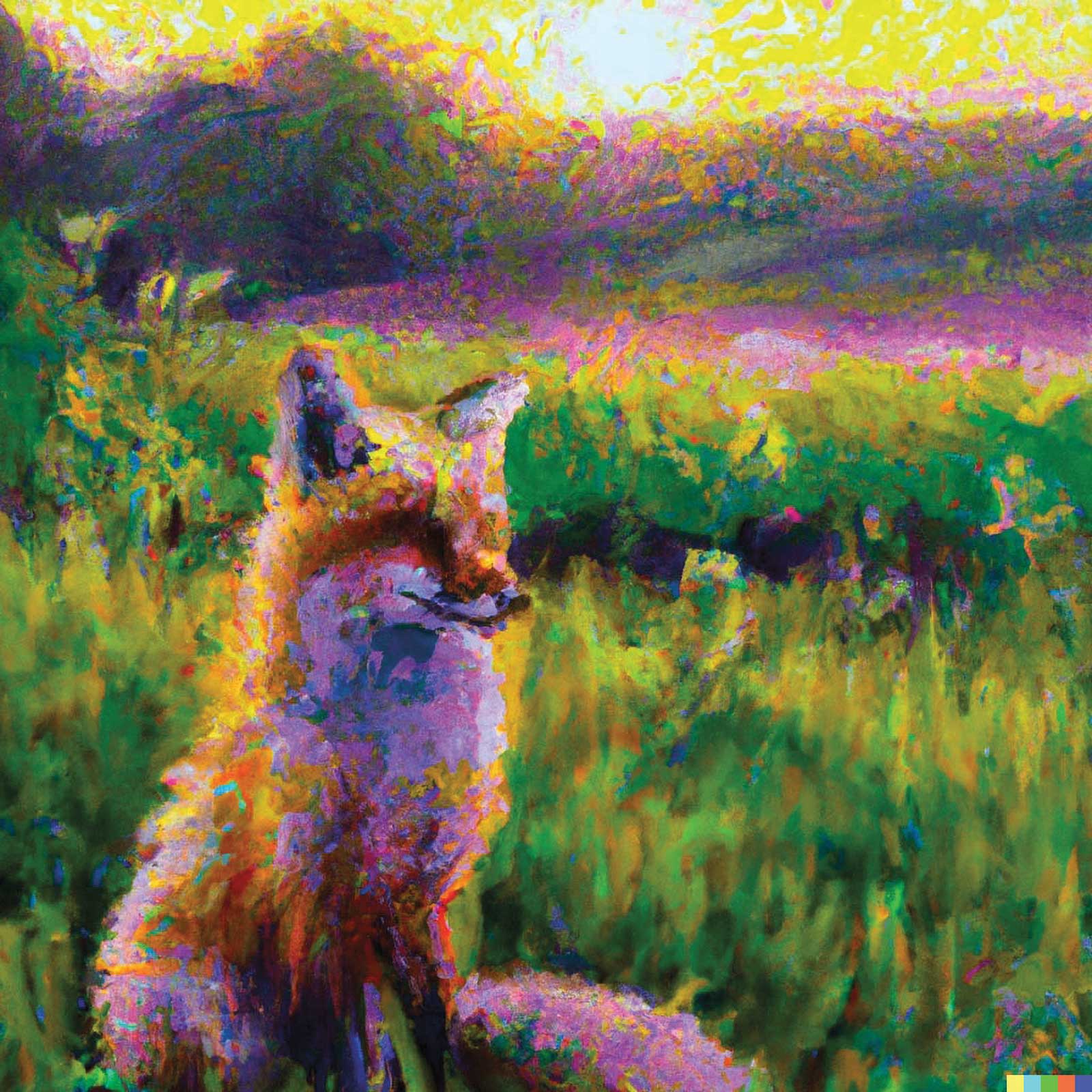 A painting of a fox sitting in a field at sunrise in the style of Claude Monet by Artificial Intelligence DALL-E2.
What are AI Image Generators?
An AI image generator is a digital tool that allows you to generate images from text or image input. They are programs that have been trained using millions of images “scraped” from the internet. If you’ve ever put your painting online you may have very well helped train an AI to make art, and scores of artists are now using these tools.
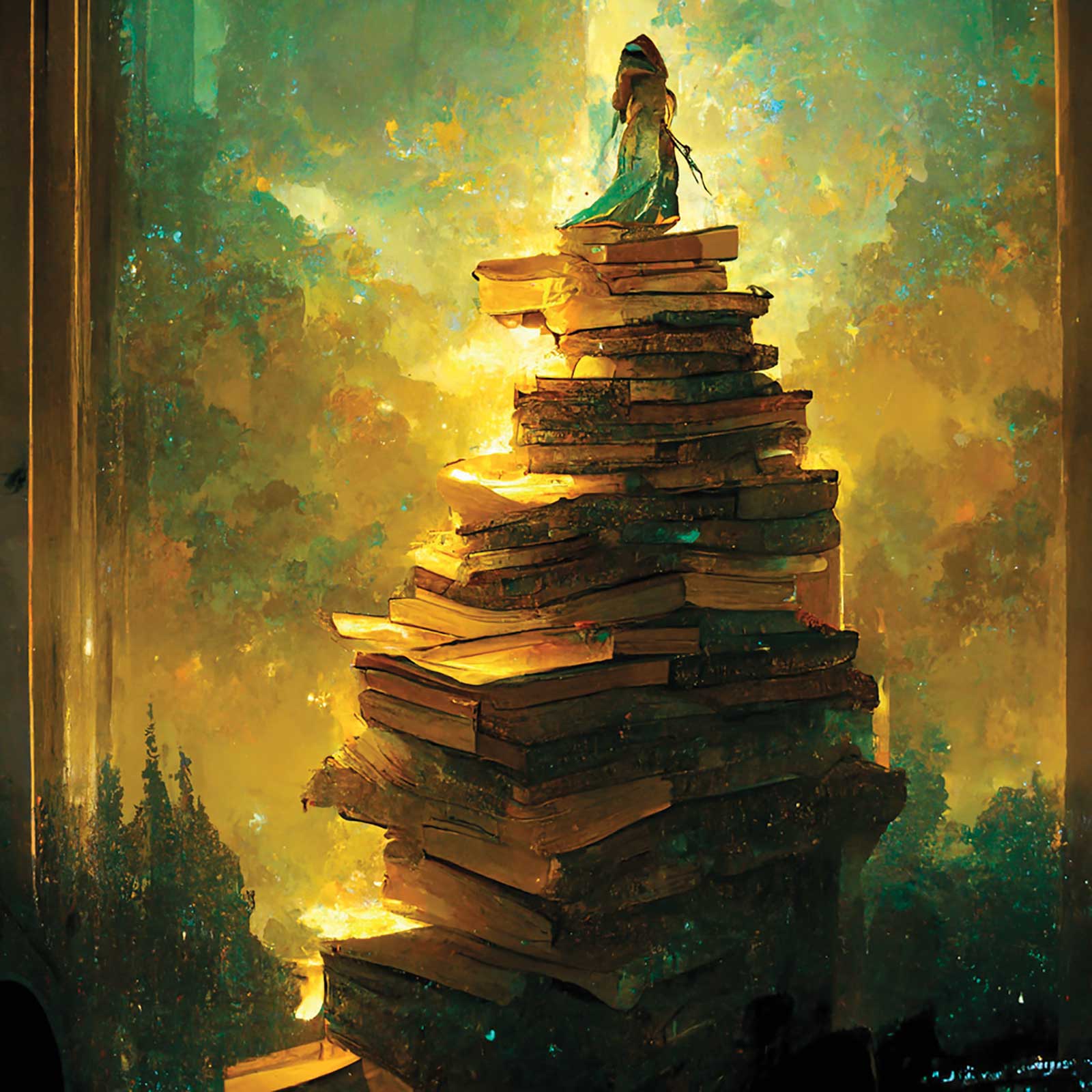
I used www.midjourney.com to create this image with the text prompt “elven princess climbing towering book stacks golden lighting.” It’s not a fully fleshed out painting, but it’s a great start. If I wanted to continue with it I would use Procreate on the iPad or Photoshop to work on the figure and the landscape, then take it to paint when ready.
How Can Artists Use AI?
The relationship between artists and AI is evolving daily as new AI tools are developed and artists invent novel ways to use those tools. Here are several ways you can use AI today:
Generate Design Ideas from Text, Sketches and Images
Imagine landscape design, lighting ideas, unique characters, book covers, album covers, furniture, sculpture, architecture, fashion, etc. See the image directly to the right for an example.
Apply Specific Art Styles to New or Existing Imagery
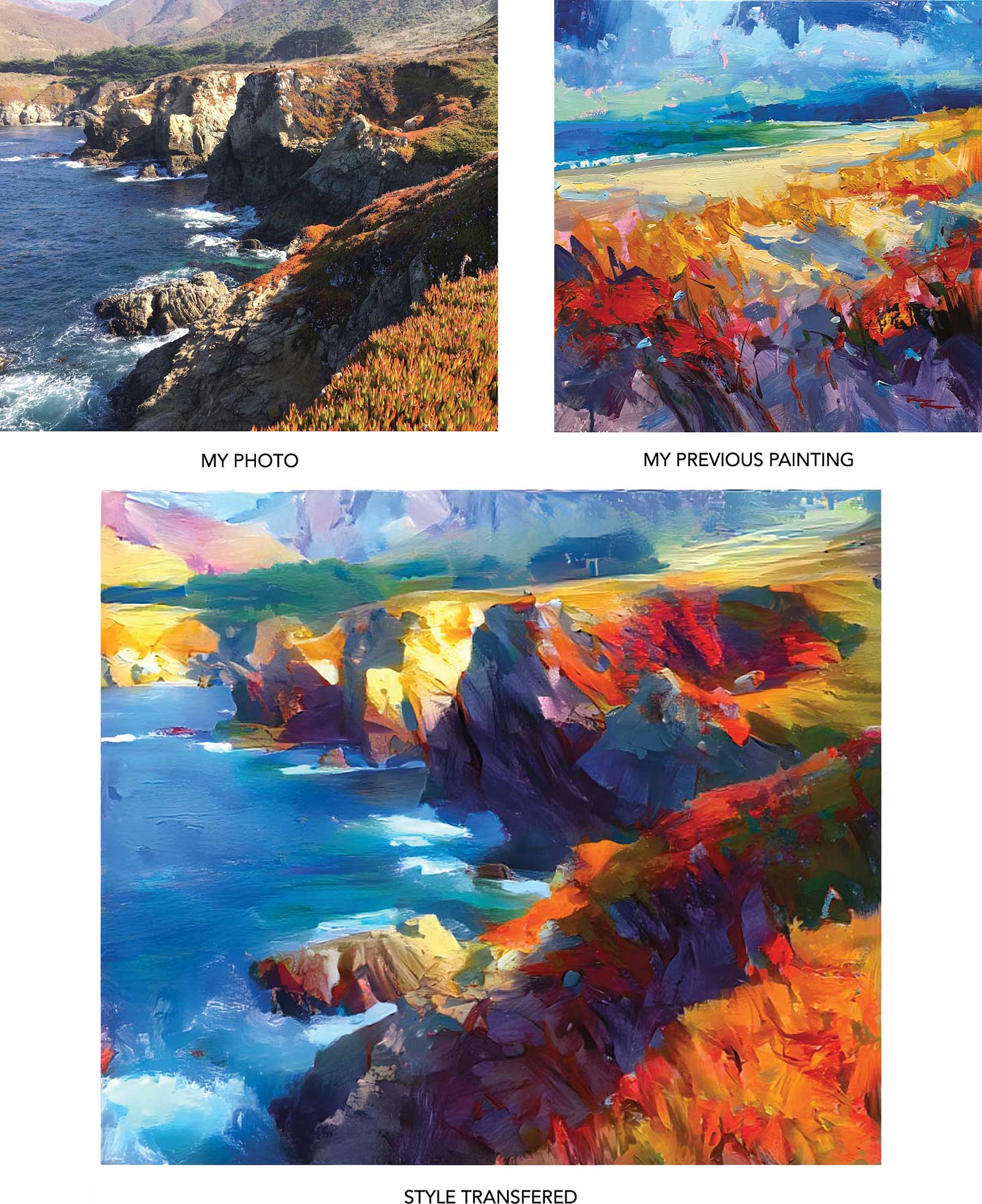
Transfer your own style onto a photograph to see how you might paint it.
Transfer a favorite artist’s style onto a photograph to see how they might paint it.
Transfer your own style onto a favorite artist’s style to see how the two might blend together and how you might improve your style.
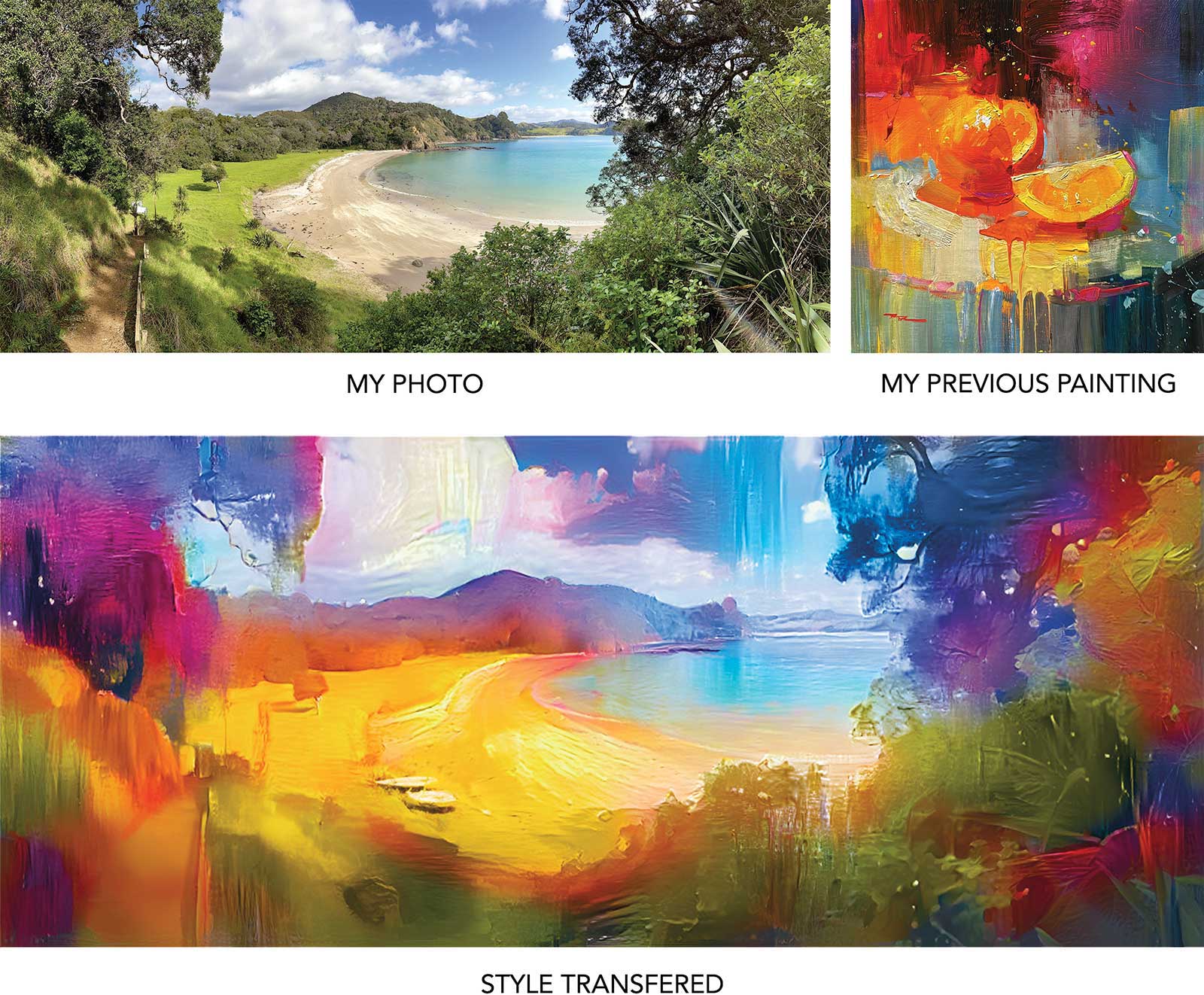
For example, I used www.deepdreamgenerator.com to transfer the style of one of my paintings onto this photo I took in California. The AI has done an amazing job of transferring the painting style to a photo. I could take this to the canvas like this, tweaking just a few things. It helps a lot having a great photo to start with. If I wanted the scene to extend further in any direction I could give this image to an AI, and it would do a great job of inventing the parts of the scene required to crop it larger.
Make Multiple Versions of Your Work
Artists have always created multiple versions of their own work in an effort to hone their craft, resolve an idea more fully and satisfy their patrons. Now, feed one of your paintings to an AI and it can create endless variations of that painting in a matter of minutes. You can tweak the results with keywords too, changing any style element you wish, like contrast, color, lighting, realism, brushwork, line, texture, design, aspect ratio, mood, etc.
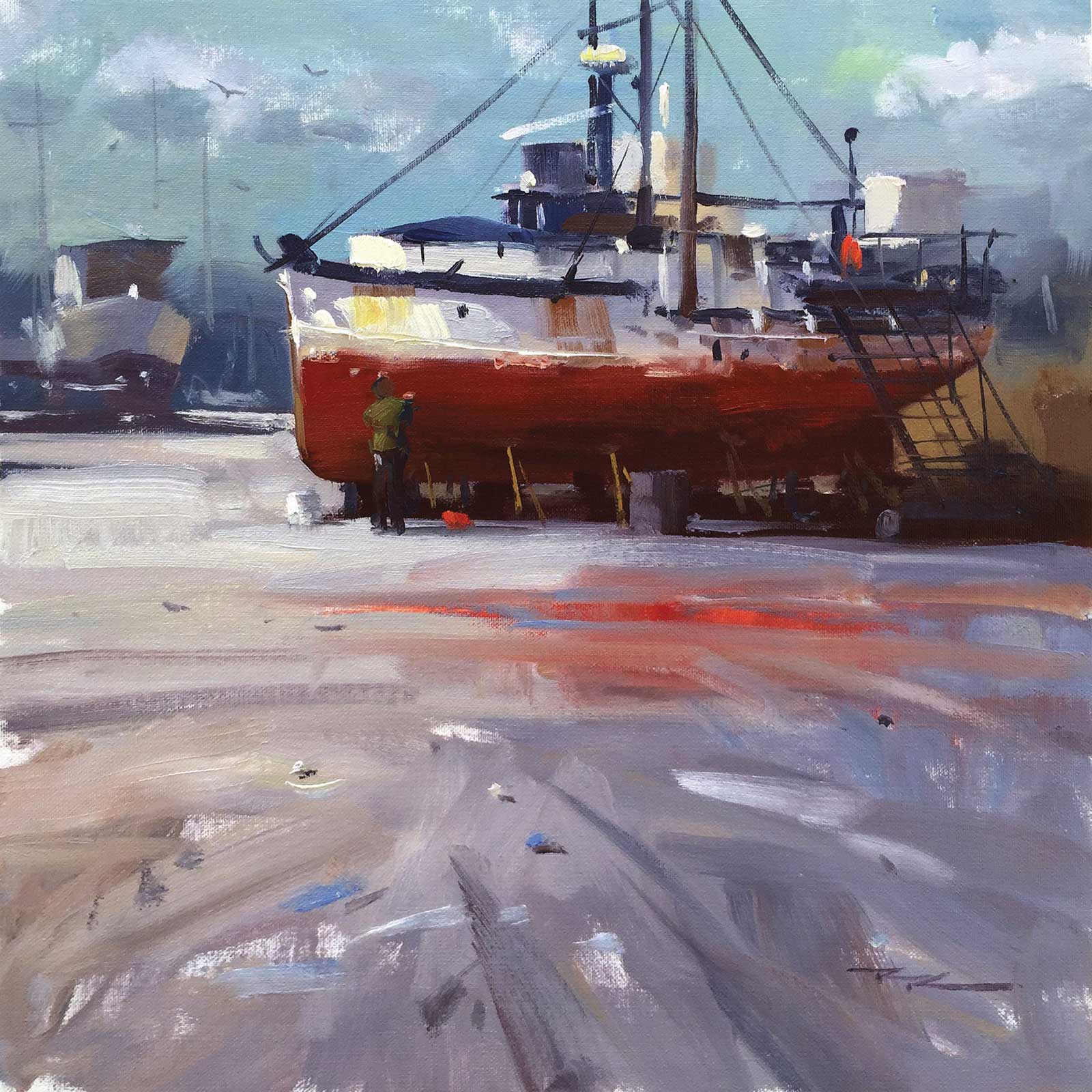
Original painting.
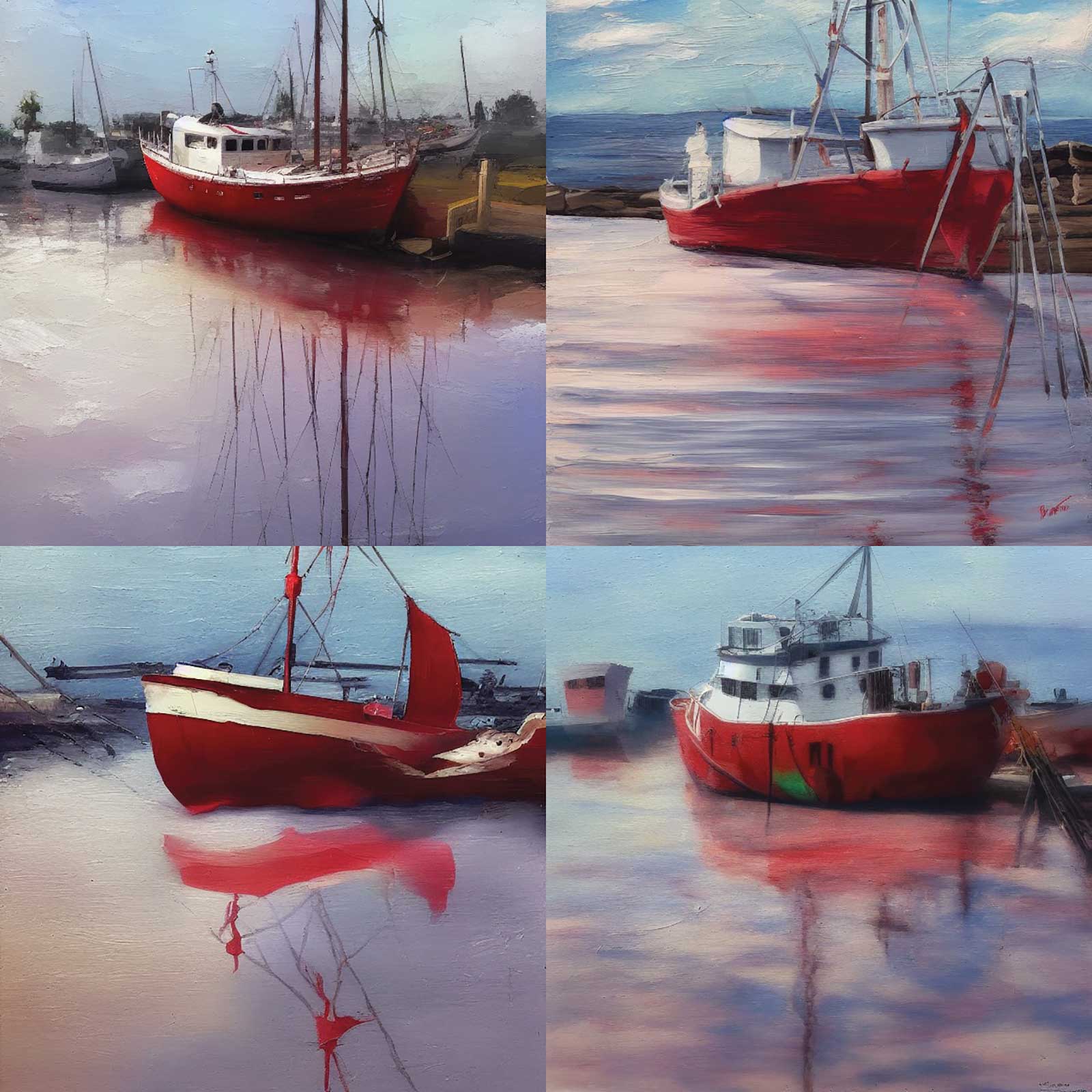
I used www.nightcafe.studio to create these variations from my original painting.
The AI “paintings” seen here are not particularly great paintings at this point, but it’s given me some interesting options to consider, like changing the type and angle of the boat and including more reflection. I could also evolve any of these images further using the same AI.
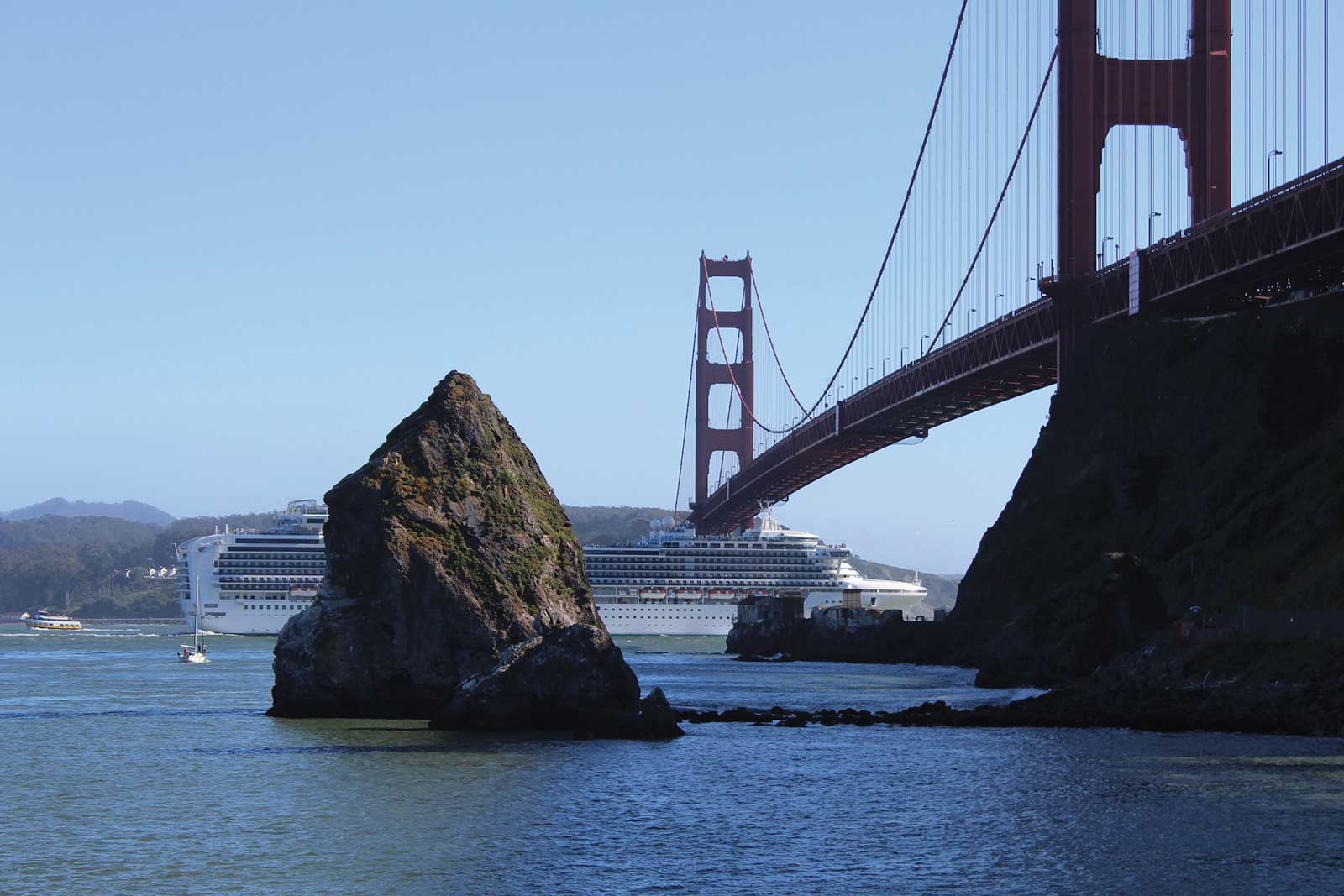
Original photo
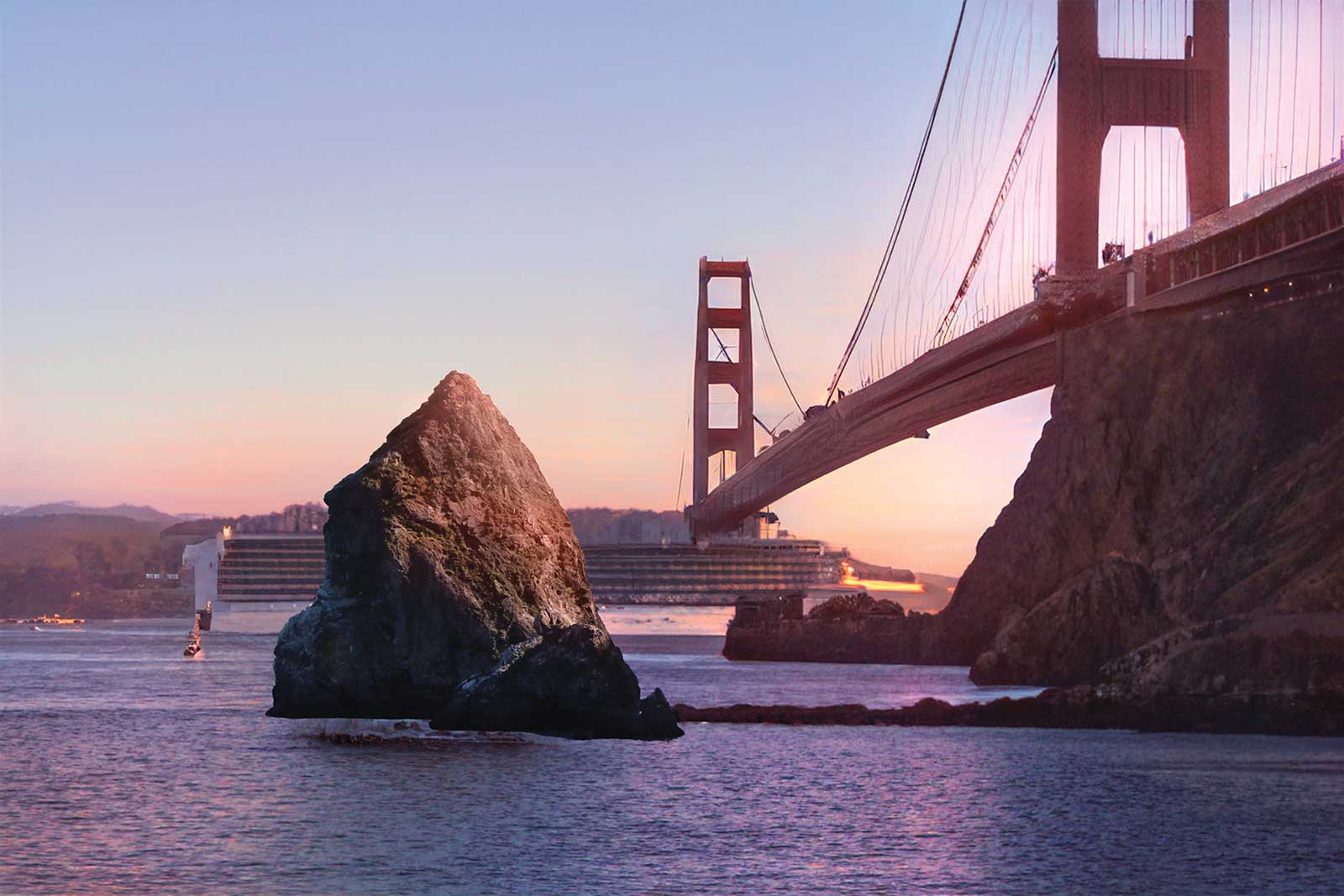
Altered photo
Merge Two Images Together to Create New Pictures
Artists are always inventing, merging multiple ideas to create complex imagery with layers of meaning. Sometimes it may be that you love a scene but the mood/lighting isn’t right to elucidate what you want to say about the subject. So you find an image that has the right mood and you need to combine the two. Now you can easily do that with AI. In fact, Photoshop is working on some “Neural Filters” that are able to change the time of day, or season, or mood of an image. For example I used Photoshop Neural Filters to change this scene into a sunset version. Now I can take it to the easel if I wish, saving many hours of work.
Visualize Subjects Outside Your Expertise
Let’s say you want to illustrate a friendly robot on a pink background for your blog, but you’ve never painted a robot before. Where to start? Visit www.artbreeder.com/beta/collage where you can now use their online AI tool to roughly piece together an idea of your design and let the AI flesh out the details. Maybe you want to paint something based on this concept. Maybe this inspires you to create a children’s book with a cute robot character, or sparks an idea for a short animation, or a sculpture. You see where this goes—it’s a springboard for creative folks like us.
New Horizons
As an artist I enter the world of AI with some trepidation but also excitement. I don’t want to lose touch with my traditional materials, the experience of hand crafting and the connection with my subject, but I’m enjoying exploring this wonderful new tool.
My concern is that human creatives may be ousted in some areas by AI, making what can already be a difficult profession that much harder to live by. On the other hand, I see professional artists using AI to become much more inventive and efficient in their workflows. I also see art creation becoming available to millions of people who will be inspired and enriched by this opportunity. To dream and create is a big beautiful part of the human experience, and I see AI ushering in a new renaissance of creativity, wherever that may lead.